
Browse the Help Center
Understand versions and revisions
Versions are uploads, revisions are labels, and one revision is always Current. The model behind every document in fluxems.
1 min read
Every document in fluxems keeps its full history. Three words carry the model: Version, Revision, and Current. Get these straight and the rest of document control follows.
A version is a new upload
Each time a file is uploaded against a document, that upload becomes a new Version: v1, v2, v3. A version is the actual file. Uploading never overwrites anything; it adds to the history.
A revision is the label it carries
A Revision is the label a version carries: A, B, C. It is the name the site knows the issue by. You will see both side by side in the register: v2 might carry revision B.
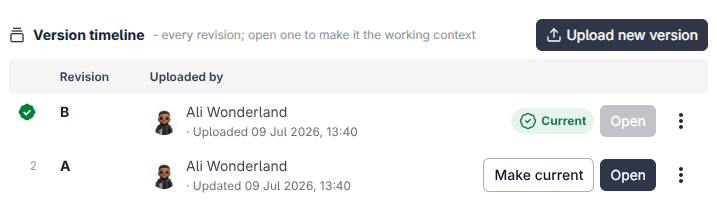
Current: the one everyone builds from
Exactly one revision of each document is marked Current. That is the revision the project builds from. When a new revision becomes current, the old one is marked Superseded.
Nothing is ever lost
Superseded revisions stay readable in history forever. If a dispute comes up about what was issued and when, the answer is one click away.
Locking versioning
Versioning can be locked per document. While locked, no one can upload a new version. Use the Lock versioning action in the register row menu to freeze a document, and Unlock versioning to open it up again. Handy while a revision is under review.
See it on the platform
Document controlWas this page helpful?
Need help? Contact support.
See what shipped in the changelog.
Questions about pricing? Talk to sales.
Something down? Check the platform status.
Found a bug in the product? Report an issue.
Missing something? Request a feature.